



Well Catalog Search Tips
The Well Catalog now offers both Map-Based and Text-Based search capabilities.
Shown below are pictures of the search tools and examples of the results produced by using the tools to search the Well Catalog.
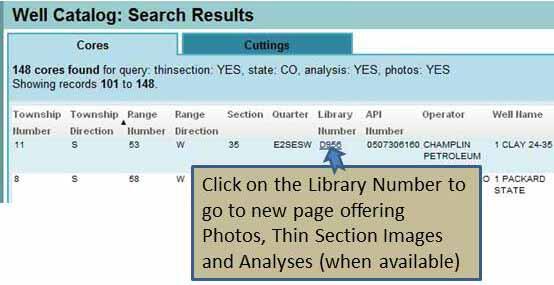
To find downloadable files for a well listed as having photos or thin sections or analysis in the Text-Based Search Results...
Media
Sources/Usage: Public Domain. View Media Details
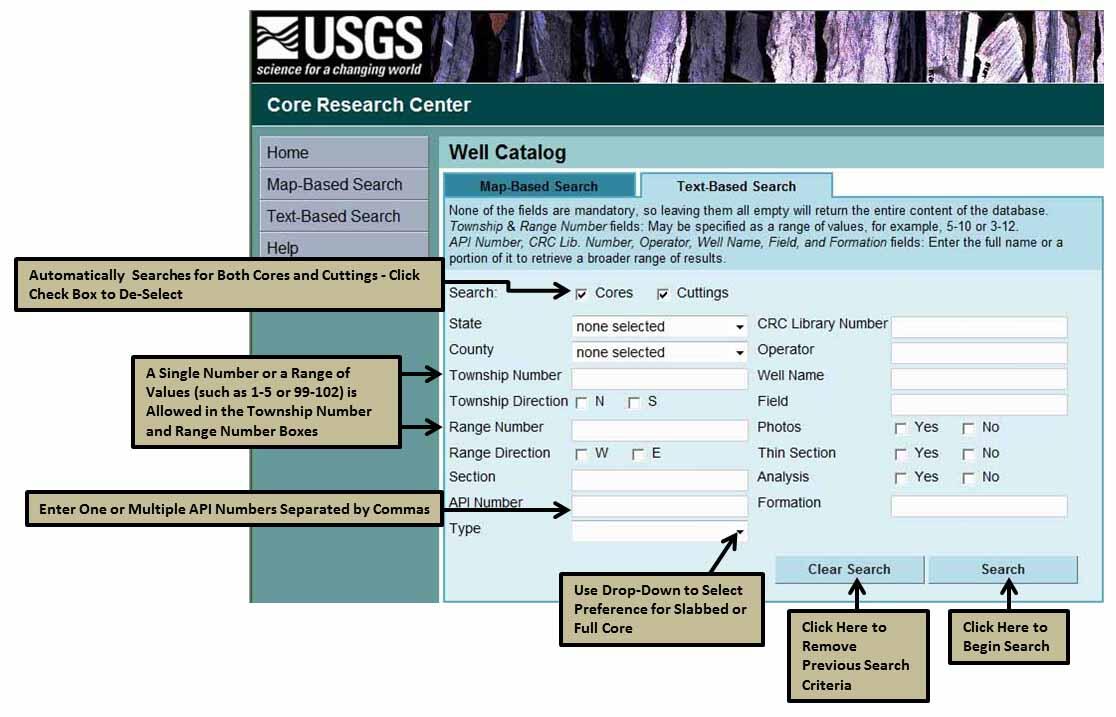
Using the Text-Based Search
Media
Sources/Usage: Public Domain. View Media Details
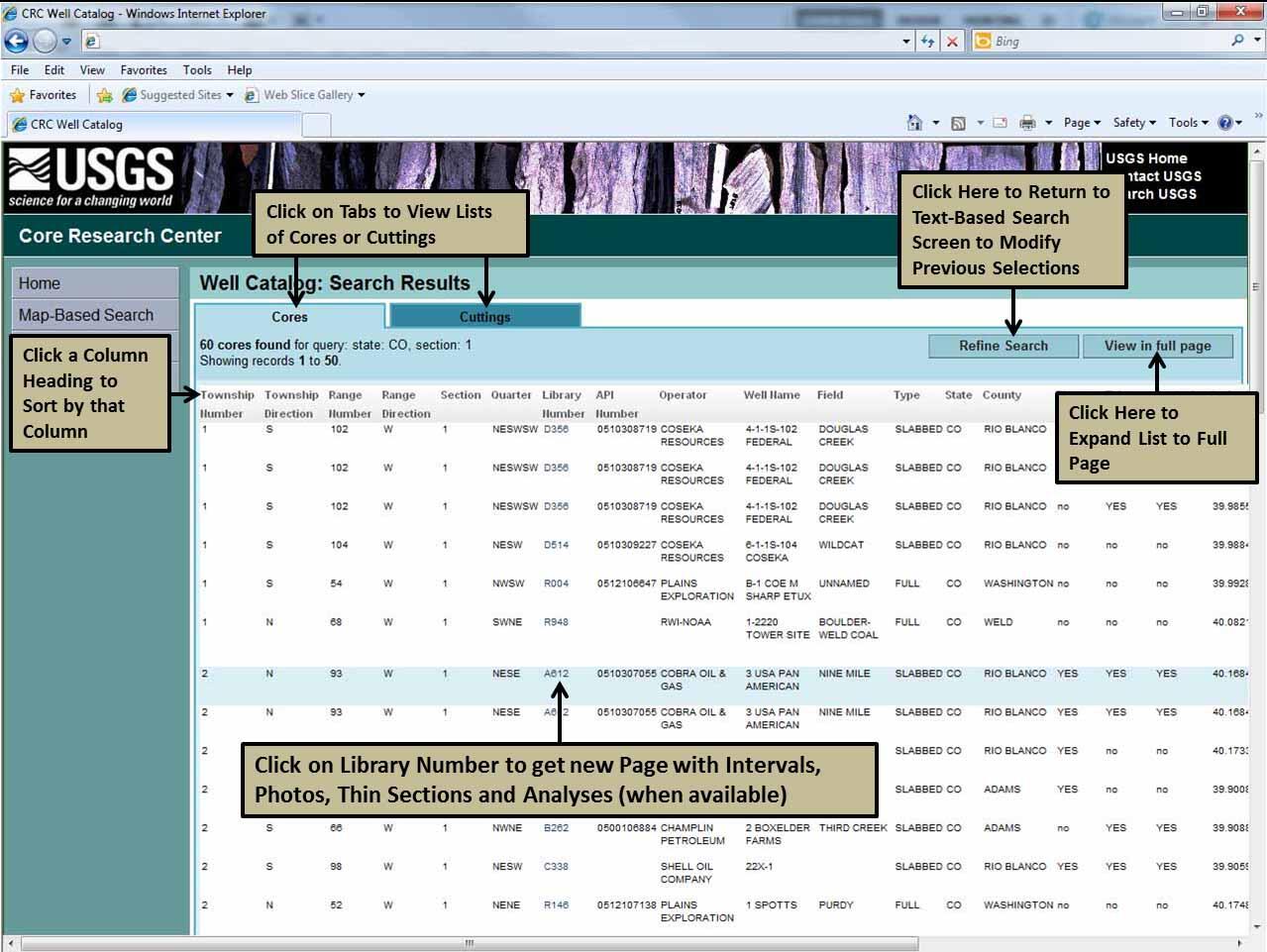
Working with the Text-Based Search Results
Media
Sources/Usage: Public Domain. View Media Details
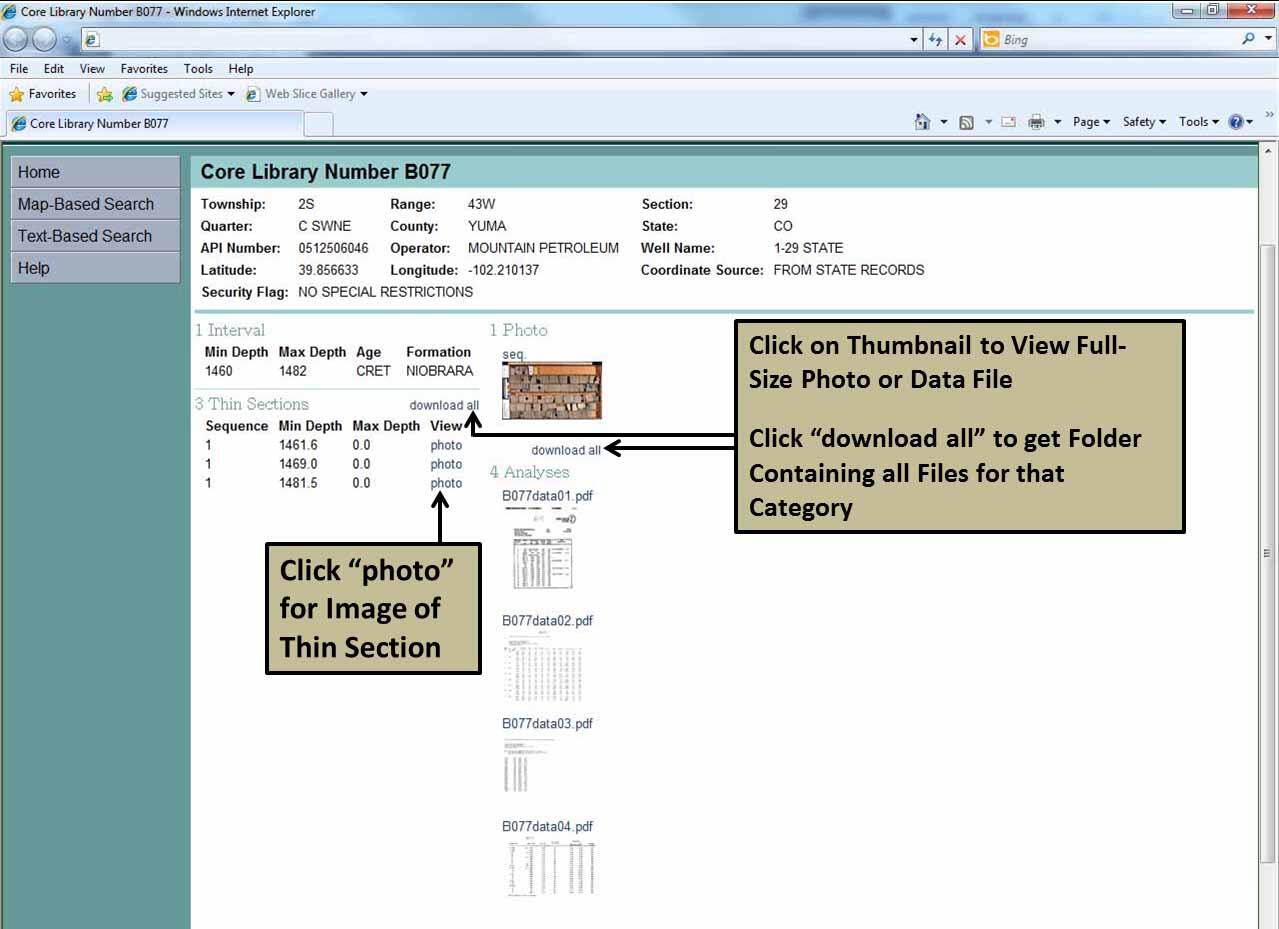
Result of Clicking on the Library Number
Media
Sources/Usage: Public Domain. View Media Details
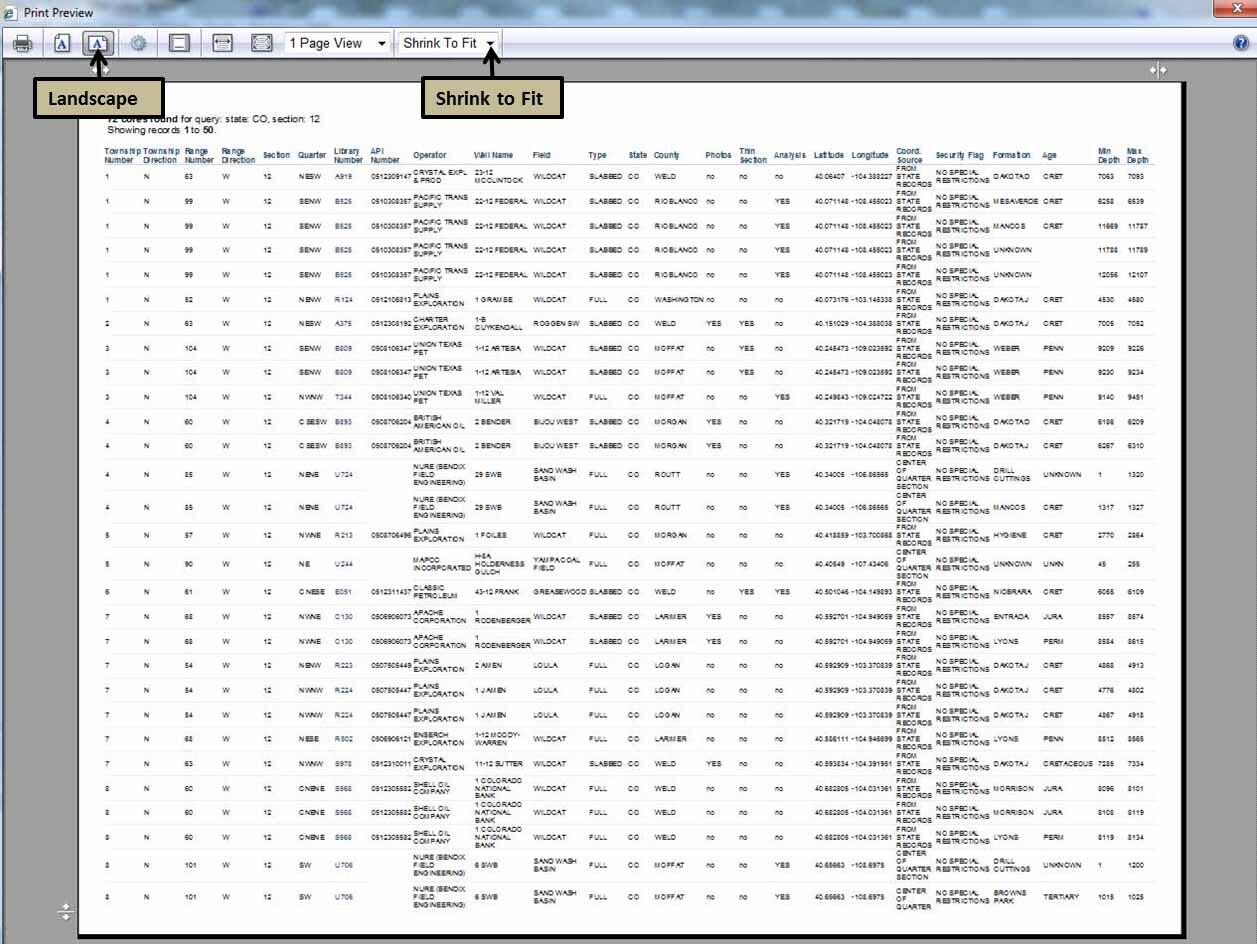
Printing from Full Page View
Media
Sources/Usage: Public Domain. View Media Details
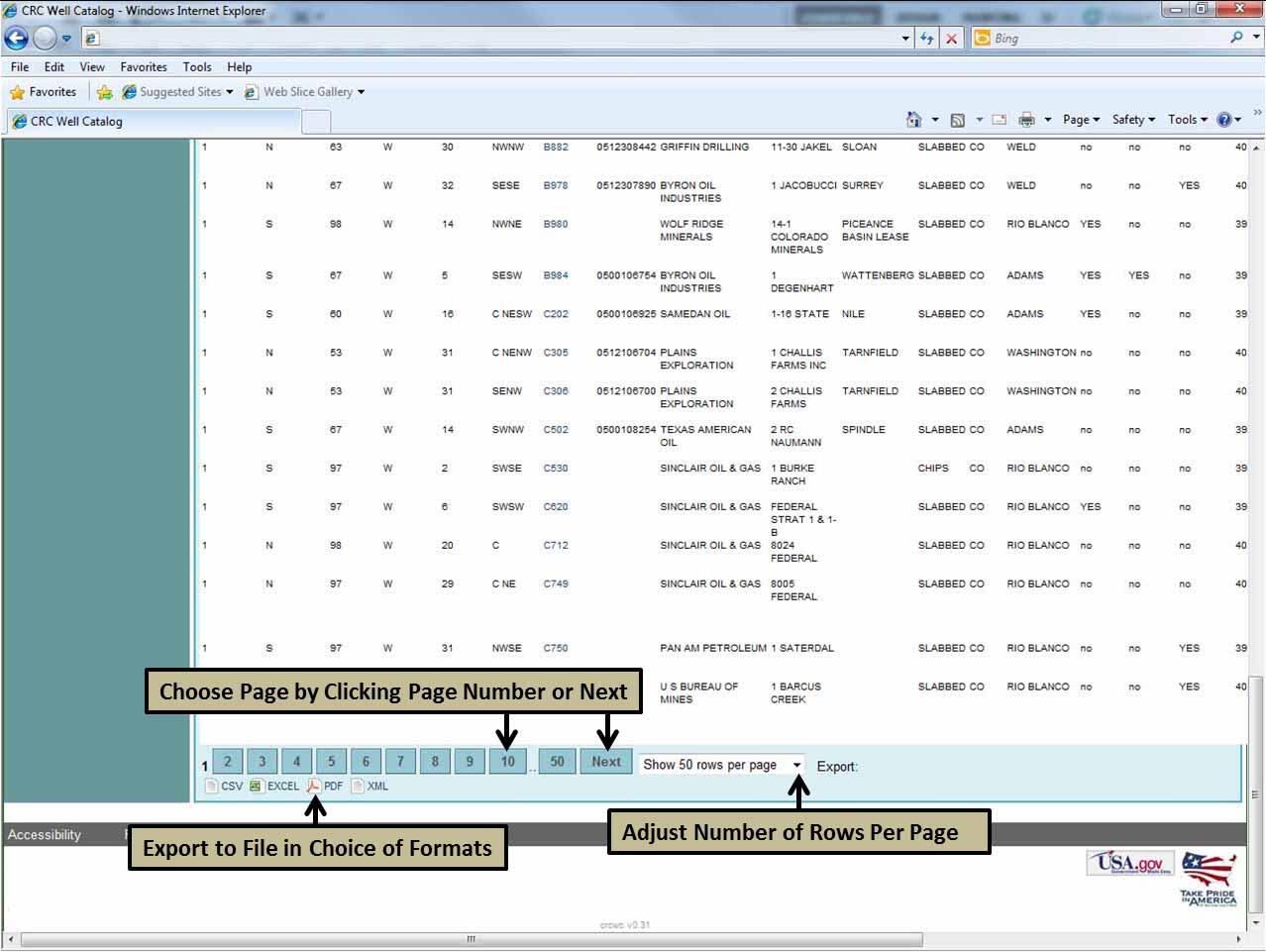
Exporting the List to a File
Media
Sources/Usage: Public Domain. View Media Details
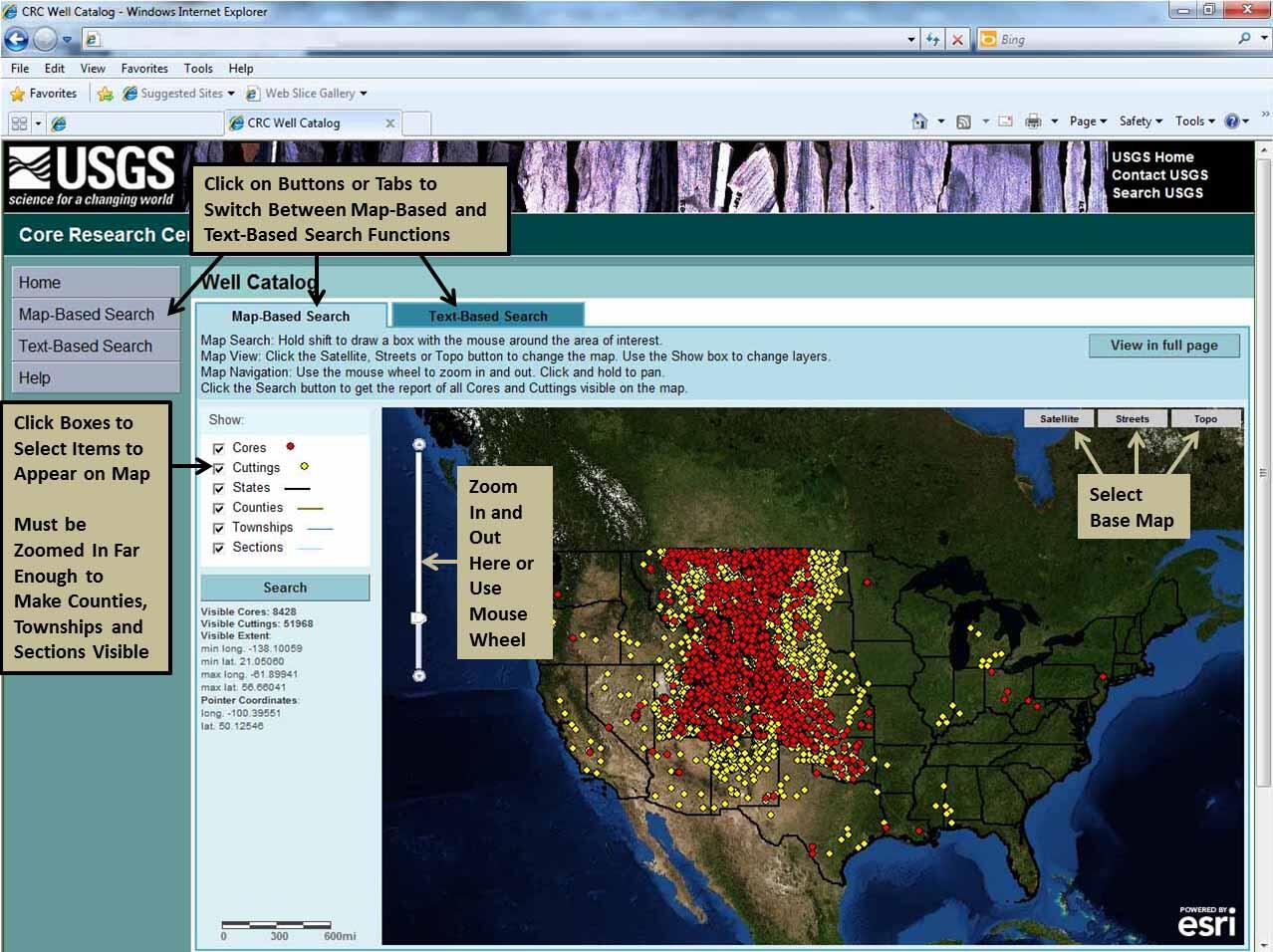
Map-Based Search
Media
Sources/Usage: Public Domain. View Media Details
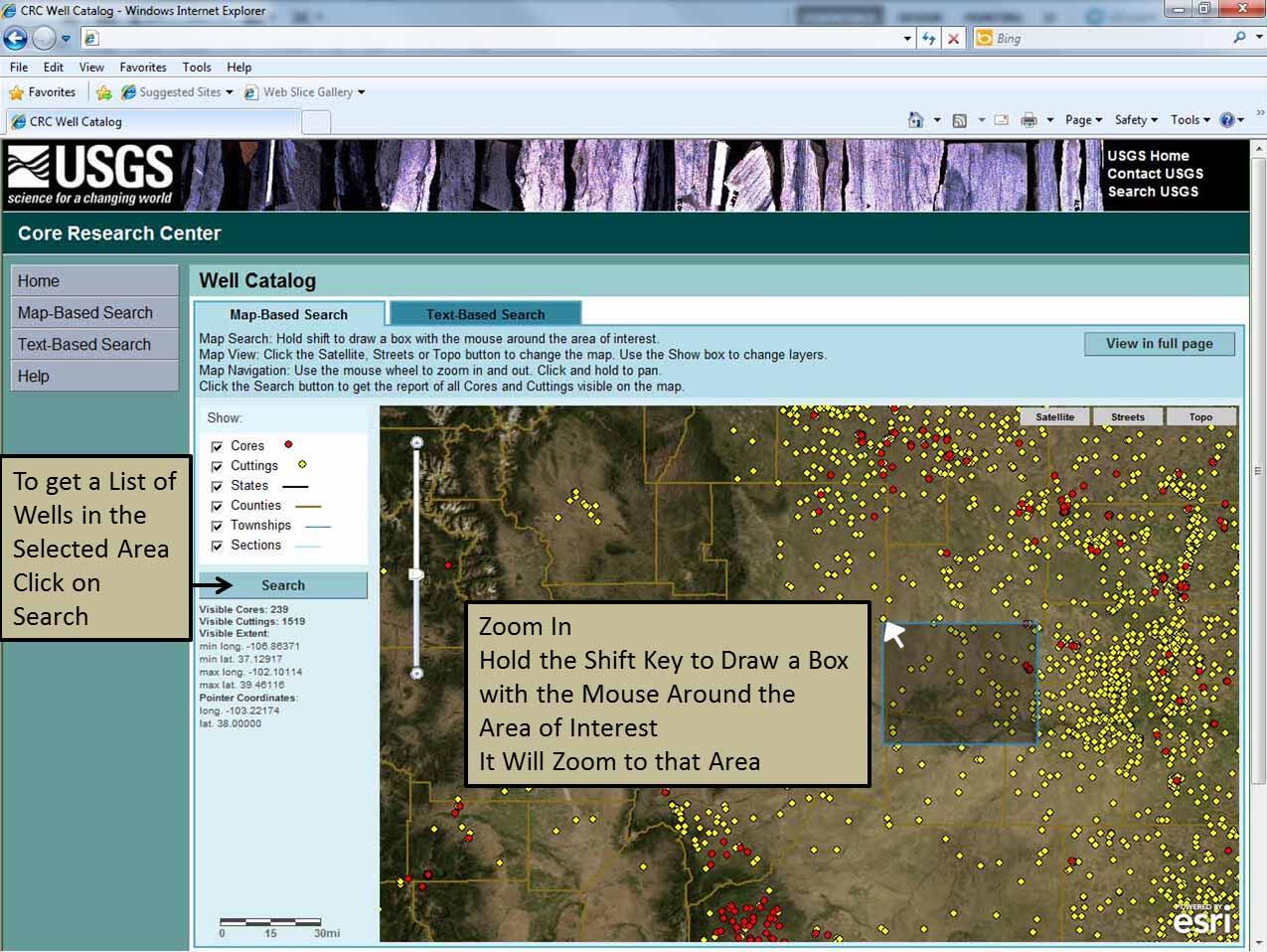
Zoom In and Select an Area
Media
Sources/Usage: Public Domain. View Media Details
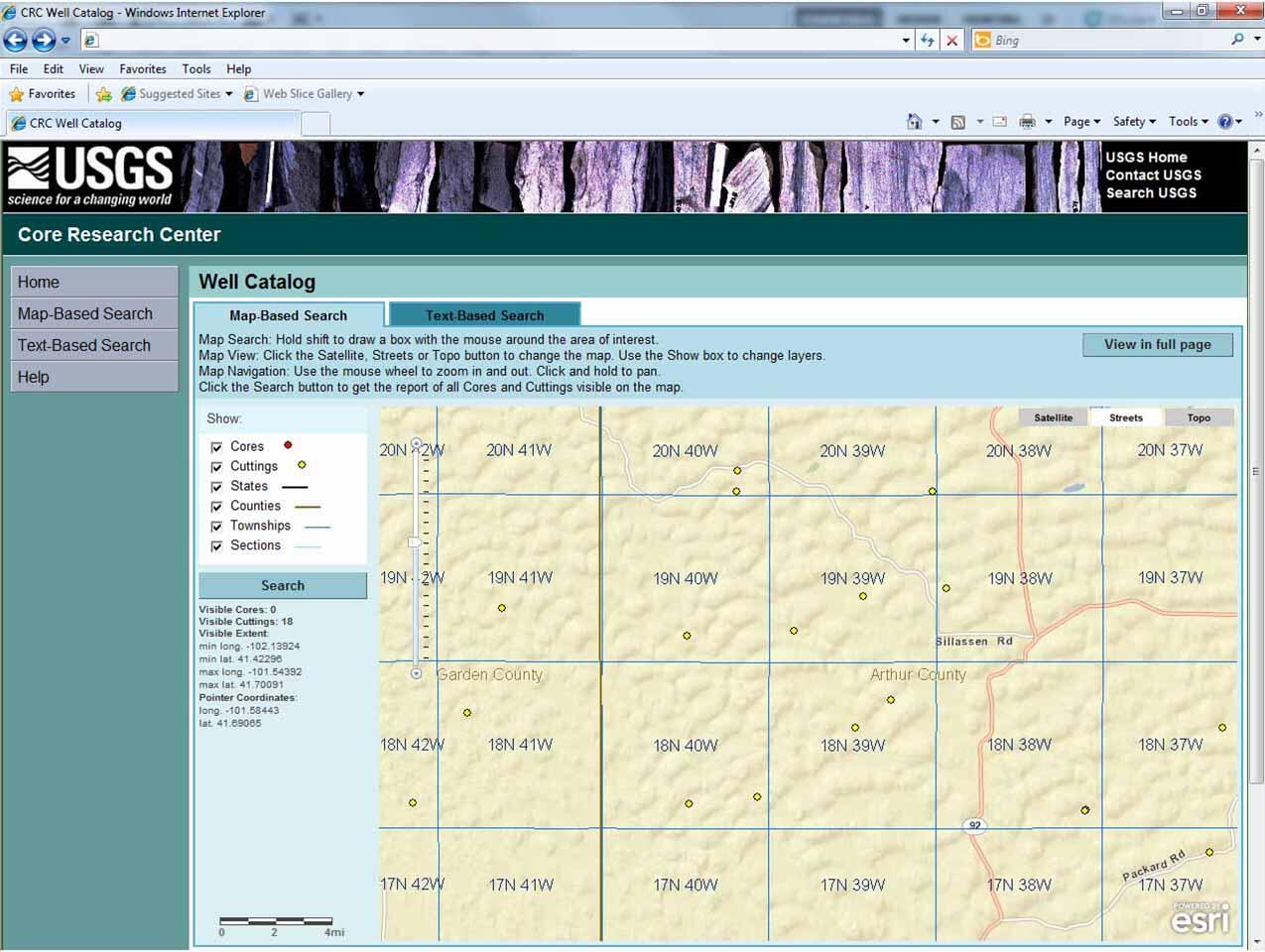
Zoom In to See Township and Range Boundaries and Labels
Media
Sources/Usage: Public Domain. View Media Details
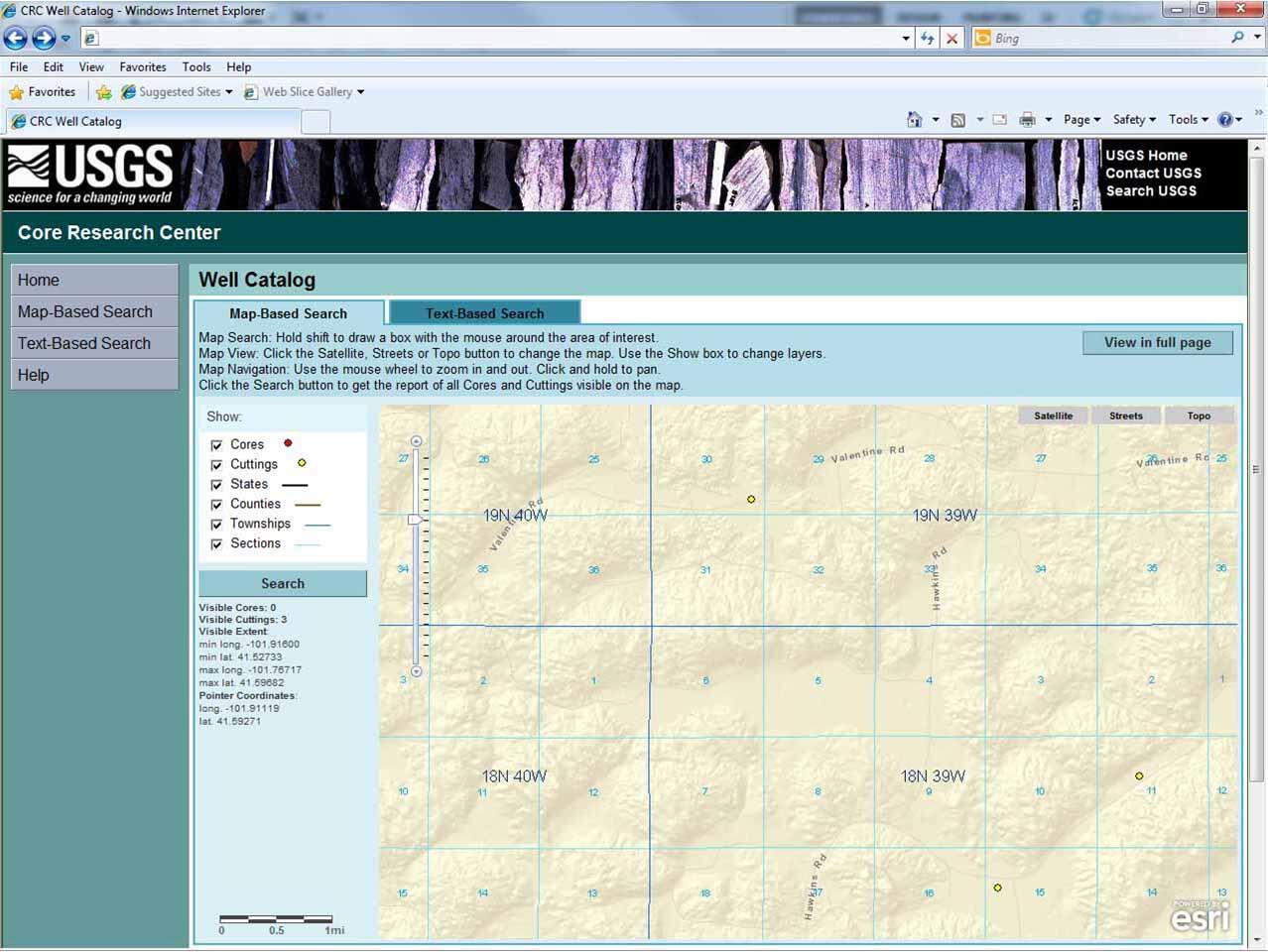
Zoom In more to See Sections
Media
Sources/Usage: Public Domain. View Media Details
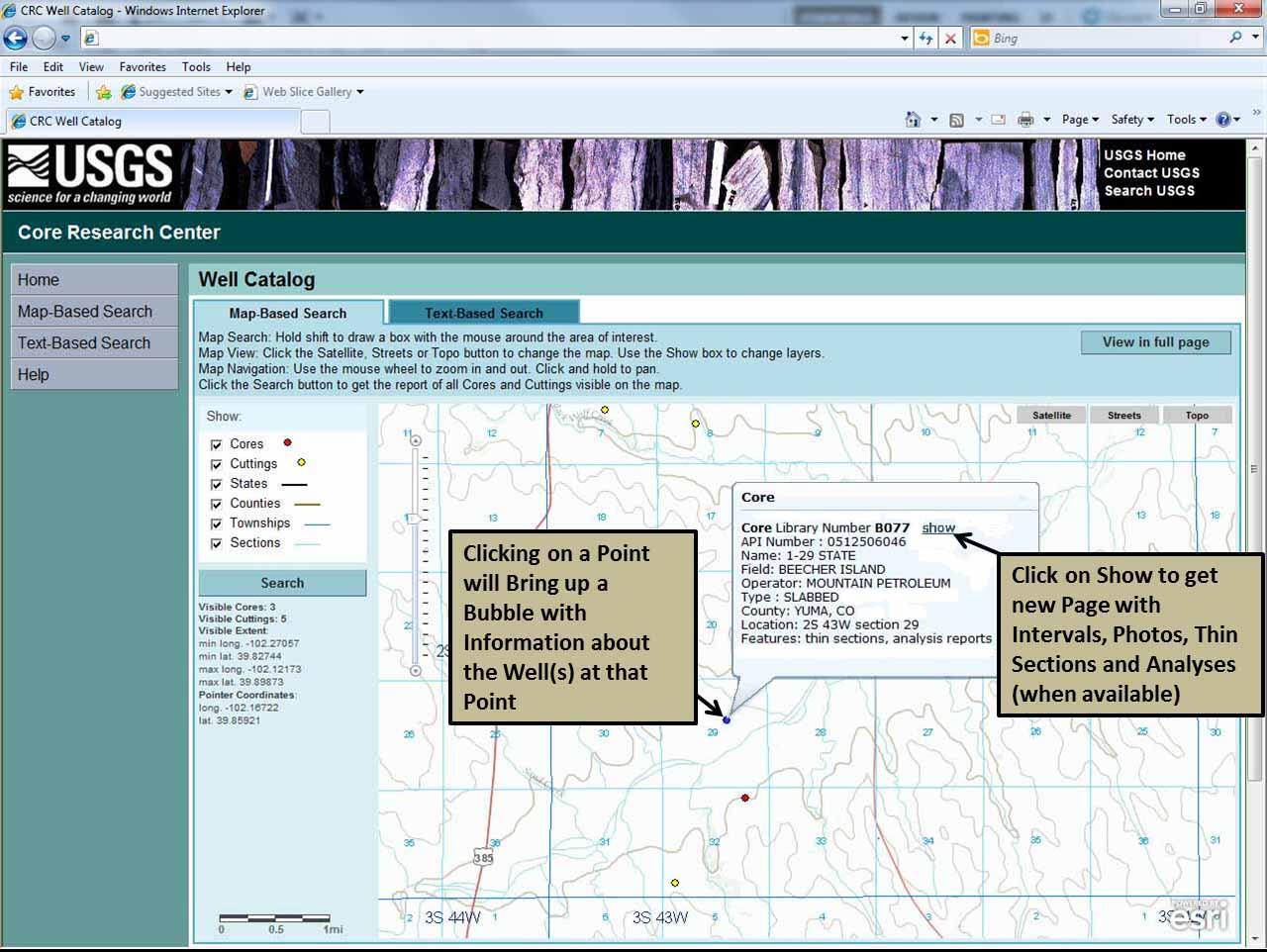
Click on a Point for More Information
Media
Sources/Usage: Public Domain. View Media Details
Result of Clicking on "Show"
Media
Sources/Usage: Public Domain. View Media Details