



Proper Use of the Address 2 Field
Many of you may be wondering what the “Address 2” field is for and when to use it, so let’s break it down.
What goes in the Address 2 field?
Basically, the “Address 2” field is used to document building designators and building designators only.
For example, university and college campuses are usually represented by a single address but may comprise many different buildings with different names. For our purposes, we recommend placing university / college points on the main campus administration building (if it can be located). Some admin buildings may have a unique name (e.g., Scholes Hall at the University of New Mexico) or they may simply be called Administration Building (e.g., Administration Building at Colorado State University). While not required, these building names can be added to the ‘Address 2’ field.
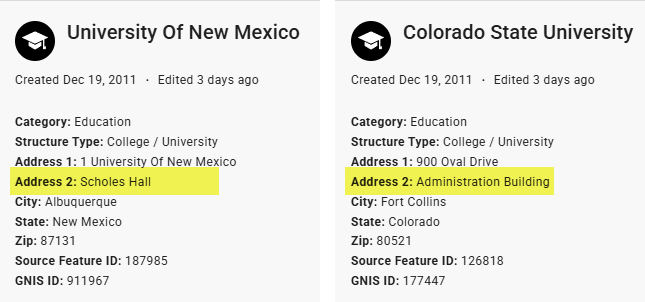
Another example would be including the name of the city hall building in the Address 2 field of a police or fire station point housed in the same building.
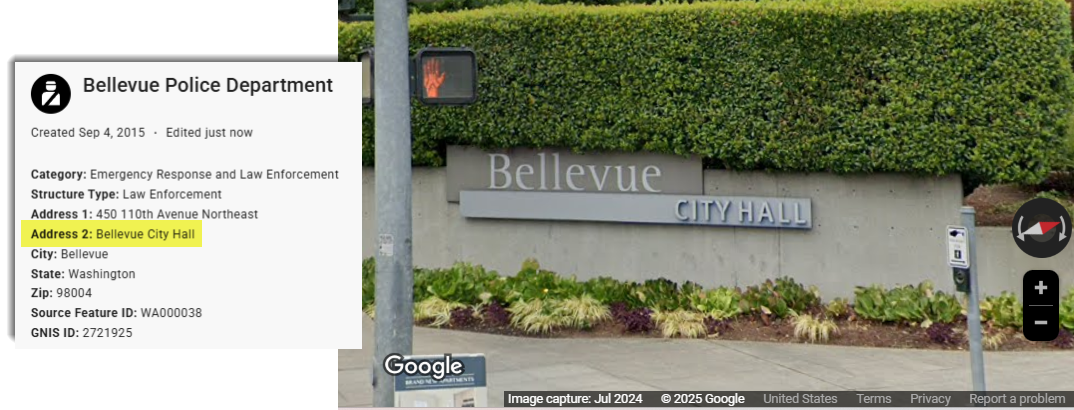
The Bellevue Police Department in Washington is located in the Bellevue City Hall building, so it would be appropriate to add “Bellevue City Hall” to the Address 2 field of the Bellevue Police Department point.
What doesn’t go in the Address 2 field?
The Address 2 field should not be used to document:
- P.O. Box addresses
- Directional information (e.g., “north of”, “across from”, “at the intersection of”, etc.)
- Coordinates (not necessary since all points are automatically georeferenced)
- County names (this information is not necessary to include, but if you feel as if it provides important context, it can be mentioned in the Edit Summary field)
- Suite numbers (these should be included in the Address 1 field)
If you’re ever unsure about how to use the Address 2 field for a specific structure, feel free to reach out!